
LangGraph State and Control Flow: A Practical Guide to Reliable AI Agents
A graph with explicit state is a far better way to build an agent than a loop that hopes the model stops.
 Rajiv KumarAugust 19, 20269 min read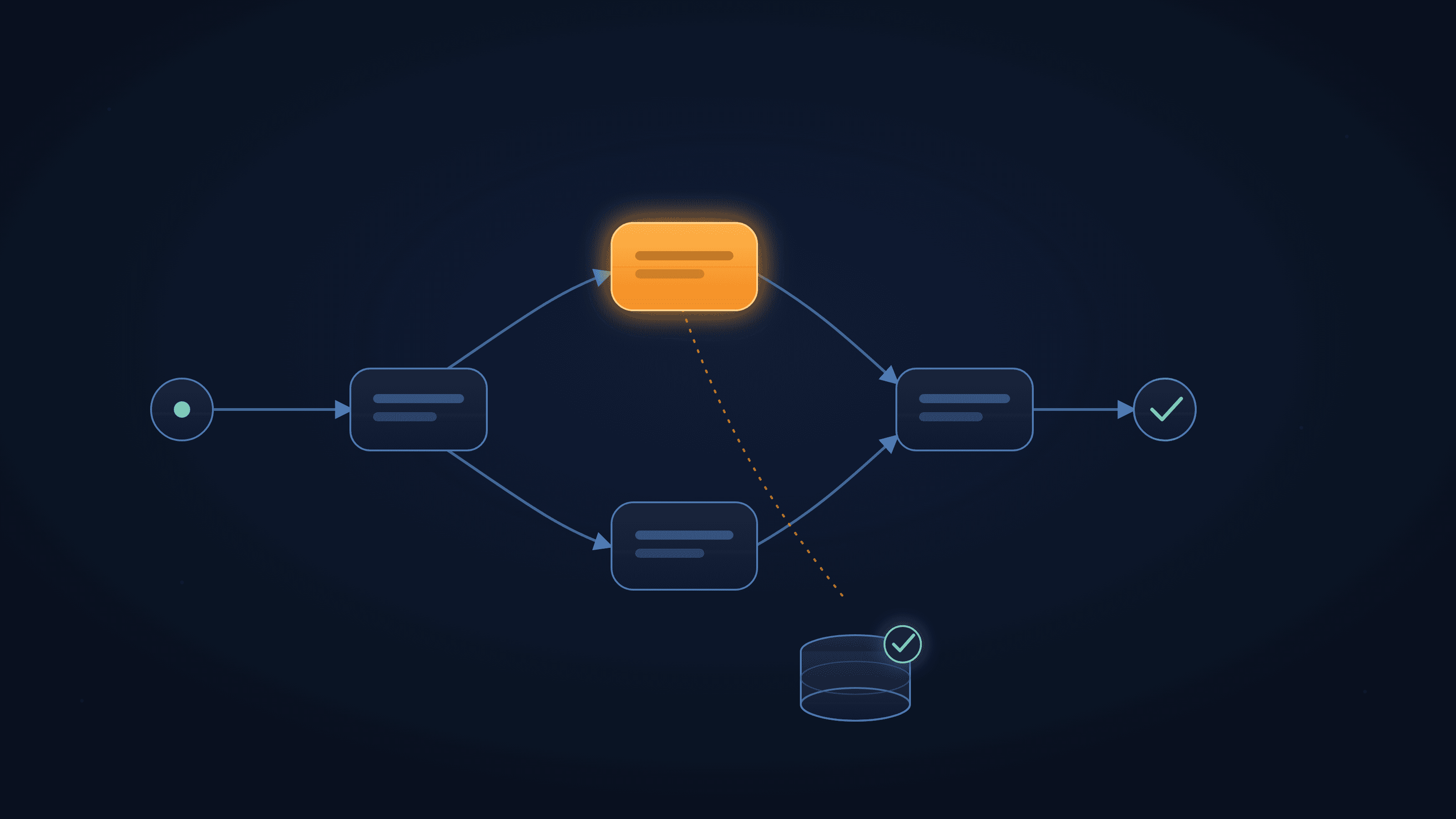
LangGraph models an agent as nodes, edges and a shared state object. That structure buys three things a plain agent loop cannot: a place to put state, control over what happens next, and the ability to resume a run that was interrupted.
Most people's first AI agent is a while loop: call the model, check if it wants to use a tool, run the tool, append the result to a message list, repeat until the model stops asking for tools. It works. It's also the reason so many "agent" projects stall out somewhere between the demo and the first production incident.
The loop hides three things that a production system needs to see: what data the run is actually carrying at any point in time, what decides where execution goes next, and what happens when the process dies halfway through. LangGraph doesn't remove these problems by adding more prompt engineering — it removes them by giving each one an explicit, inspectable home. That's the whole pitch, and it's worth understanding precisely rather than taking on faith.
The Three Building Blocks of a LangGraph Graph
Every LangGraph application is built from the same three pieces, and almost every bug traces back to a misunderstanding of one of them.
State
State is a typed schema — a TypedDict, a Pydantic model, or a dataclass — that every node in the graph reads from and writes to. It's the single place the run's data lives, which means it's also the single place you look when something goes wrong: print the state and you know exactly what the graph believes is true at that point in execution.
python
from typing_extensions import TypedDict

class State(TypedDict):
    messages: list
    attempts: int
    answer: str | None
Nodes
Nodes are plain Python functions. Each one takes the current state and returns a partial update — not a mutation of the state object, an update dictionary that LangGraph merges in for you.
python
def node_a(state: State):
    return {"answer": "draft response", "attempts": state["attempts"] + 1}
A node can call a model, run a tool, validate output, hit a database, or do nothing more than reshape data for the next step. Keeping nodes small is what makes a graph debuggable: a single monolithic node that does "everything" is a while loop with extra steps, and you lose the ability to trace which part of the run actually failed.
Edges
Edges decide what runs next. A fixed edge (add_edge) always goes to the same destination. A conditional edge (add_conditional_edges) calls a routing function against the current state and sends execution to whichever node name that function returns — including the special END node, which terminates the run.
python
from langgraph.graph import StateGraph, START, END

builder = StateGraph(State)
builder.add_node("node_a", node_a)
builder.add_edge(START, "node_a")
builder.add_edge("node_a", END)
That's the entire vocabulary. Everything else in LangGraph — reducers, checkpointing, interrupts, subgraphs — is built on top of state, nodes, and edges.
Reducers: Why State Updates Don't Always Overwrite
Here's the detail that trips up almost everyone building their first multi-turn LangGraph agent.
By default, when a node returns a value for a state key, that value replaces whatever was there. That's fine for a field like answer, where the latest write should win. It's wrong for messages, where you want every turn to add to the conversation, not erase it.
python
from typing import Annotated
import operator
from typing_extensions import TypedDict

class State(TypedDict):
    messages: Annotated[list, operator.add]
    attempts: int
    answer: str | None
Annotated[list, operator.add] tells LangGraph how to reduce multiple updates to the same key into one value — here, by concatenating lists instead of replacing them. Once that's in place, a node can return {"messages": [new_message]} and it appends rather than wipes the history.
For message lists specifically, LangGraph ships a purpose-built reducer, add_messages, that's a better default than raw operator.add. It concatenates like operator.add does, but it also updates a message in place when the new one shares an existing message's ID (so you can correct or annotate a prior turn instead of only ever appending), and it accepts the shorthand dictionary format used by chat-completions APIs.
python
from langgraph.graph.message import add_messages

class State(TypedDict):
    messages: Annotated[list, add_messages]
Note: A missing reducer on a
messagesfield is one of the most common LangGraph bugs, and it's invisible until you actually print the state. The agent behaves as if it has amnesia — every turn looks like the first turn — because each node's update is quietly overwriting the conversation instead of extending it.
Conditional Edges: Control Flow Lives in Code, Not in the Prompt
A conditional edge is just a function that reads state and returns a node name. That sounds simple, but it's the mechanism that replaces a whole category of prompt instructions you'd otherwise be hoping the model follows.
python
def route(state: State) -> str:
    if state["attempts"] >= 3:
        return "give_up"
    if state["answer"] and is_grounded(state["answer"], state["messages"]):
        return END
    return "retrieve"

builder.add_conditional_edges("generate", route)
Example: This routing function enforces two things a well-crafted prompt cannot reliably guarantee: a hard retry limit, and a groundedness check before an answer is ever accepted as final. Neither is a suggestion to the model — they're deterministic checks that run in your process, on your state, every single time.
This is the real difference between a graph and a loop with an if statement buried in a prompt template: the routing logic is testable in isolation. You can unit-test route() with a handful of fabricated state dictionaries and know exactly how your agent will branch, without spending a single token.
Putting It Together: A Minimal Runnable Graph
Here's how state, nodes, and edges combine into something you can actually execute, including a checkpointer (covered next):
python
from typing_extensions import TypedDict
from langgraph.graph import StateGraph, START, END
from langgraph.checkpoint.memory import InMemorySaver

class State(TypedDict):
    input: str
    output: str

def process(state: State):
    return {"output": f"Processed: {state['input']}"}

builder = StateGraph(State)
builder.add_node("process", process)
builder.add_edge(START, "process")
builder.add_edge("process", END)

graph = builder.compile(checkpointer=InMemorySaver())

config = {"configurable": {"thread_id": "demo-1"}}
result = graph.invoke({"input": "hello"}, config)
compile() validates the graph's structure — orphaned nodes, missing edges to END, and similar wiring mistakes surface here rather than at run time. The thread_id in config is what ties this invocation to a specific, resumable line of execution — which is the subject of the next section.
Checkpointing: Resume From Step Eight, Not Step Zero
A checkpointer persists a snapshot of the graph's state after every node finishes. That single mechanism buys you two capabilities that are difficult to bolt onto a plain loop after the fact.
The first is resumability. A run that fails on step nine restarts from the last saved checkpoint — typically step eight — instead of from scratch. For a long agent pipeline that calls several models and tools per turn, that's the difference between a transient failure costing you one step and costing you the entire run.
The second is human-in-the-loop pausing, which needs a checkpointer as a prerequisite and gets a section of its own below.
LangGraph ships more than one checkpointer implementation, and the choice matters more than it looks:
Checkpointer | Storage | Durable across restarts | Typical use |
|---|---|---|---|
| Process memory | No | Local development, unit tests |
| Local SQLite file | Yes, on one machine | Prototypes, single-instance apps |
| PostgreSQL | Yes | Production, multi-instance deployments |
Tip:
InMemorySaveris the default you'll reach for while iterating, and that's exactly what it's for. It loses everything the moment the process restarts, which makes it a correctness liability the moment real users depend on a run surviving a deploy or a crash. Wire upPostgresSaver(or an equivalent durable backend) before anything resembling production traffic touches the graph.
Also worth knowing: thread_id values are stored as text and should stay reasonably short (well under 255 characters) if you're backing checkpoints with a relational database — don't put an entire user session payload into the thread identifier.
Human-in-the-Loop: Pausing a Graph With interrupt()
Some workflows shouldn't proceed without a person's sign-off — releasing a payment, sending an external email, deleting a record. LangGraph handles this with interrupt(), which pauses the graph mid-node and returns control to whatever called it.
python
from langgraph.types import interrupt, Command

def request_approval(state: State):
    decision = interrupt({"question": "Approve this action?", "draft": state["answer"]})
    return {"approved": decision}
To resume, you invoke the graph again with a Command carrying the human's response, against the same thread_id:
python
graph.invoke(Command(resume="yes"), config)Under the hood this is built entirely on checkpointing — interrupt() requires a checkpointer to be configured, because pausing "half way through" only means something if there's a durable record of what "half way through" looked like. That record can sit untouched for minutes or months; the graph doesn't care, as long as the same thread_id and checkpointer are used to resume it.
Note: When a graph resumes after an interrupt, LangGraph reruns any code in that node that executed before the
interrupt()call — but not earlier nodes. If the code before yourinterrupt()call has side effects (writing to a database, calling a paid API), that code needs to be idempotent, or you'll duplicate that work on every resume. This is the single most common wayinterrupt()surprises people who've used it correctly everywhere else.
Common Mistakes and How to Catch Them
Symptom | Usual cause | Fix |
|---|---|---|
Agent "forgets" earlier turns | No reducer on the | Add |
Graph never terminates | No path to | Add a bounded retry check in the routing function |
Resume restarts from the beginning | No checkpointer, or a different | Confirm the checkpointer is durable and |
State updates seem to vanish | Node returned the entire state instead of a partial update | Return only the keys that changed |
Checkpoint writes are slow | Large blobs (files, embeddings) stored directly in state | Store a reference (path, ID) in state; keep the blob elsewhere |
Parallel branches lose each other's results | A key written by multiple branches has no reducer | Add a reducer for any key more than one node can write to |
Duplicate side effects after an interrupt | Non-idempotent code runs before | Move side effects after the interrupt, or make them idempotent |
Best Practices Worth Adopting Early
Keep state schemas narrow. Every extra field is something every checkpoint write has to serialize.
Give every state key that more than one node can write a deliberate reducer decision — replace, append, or a custom merge function — rather than leaving it to the default.
Put anything that decides "what happens next" — retry limits, approval gates, groundedness checks — into a routing function, not a prompt instruction.
Choose a durable checkpointer before you need one. Retrofitting persistence after a production incident is a worse week than provisioning
PostgresSaverup front.Pair the graph with a tracing tool (LangSmith or an equivalent) from the start. A graph's explicit structure is only useful for debugging if you can actually see each node's input and output.
Treat any code before an
interrupt()call inside the same node as code that will run more than once.
When a While Loop Is Still Fine
None of this means every agent needs a graph. A single-turn tool call, a script that runs once and exits, or an internal utility with no resume requirement and no human approval step genuinely doesn't need checkpointing, reducers, or conditional routing — a loop with a sane iteration cap is simpler to read and ships faster. LangGraph earns its complexity when a run is long-lived, needs to survive a restart, involves more than one person or system deciding what happens next, or takes an action that's expensive or risky to repeat.
Conclusion
The loop is faster to write. The graph is faster to debug, safer to deploy, and — because of checkpointing — possible to pause. That trade-off doesn't matter much for a weekend prototype. It matters a great deal the moment an agent is taking actions that are consequential on someone else's behalf, where "it worked in my testing" isn't the bar and "it recovers correctly at 2 a.m. after a deploy" is. At that point, explicit state and explicit control flow stop being an architectural preference and start being a requirement.
Sources consulted:
Related articles
Azure AI Search for RAG: The Retrieval Decisions That Actually Decide Answer Quality
Jun 22, 2026·11 min read
Generative AI: The Questions Technical Teams Ask
May 6, 2026·6 min read
Azure AI Foundry: Getting From Prototype to Production
Aug 5, 2026·10 min read