Copilot Studio Agents That Actually Get Used: A Practical Design Guide
A knowledge source and a system prompt gets you a demo. Getting an agent that resolves real requests takes topics, actions and a boundary you can defend.
 Rajiv KumarJuly 8, 202611 min read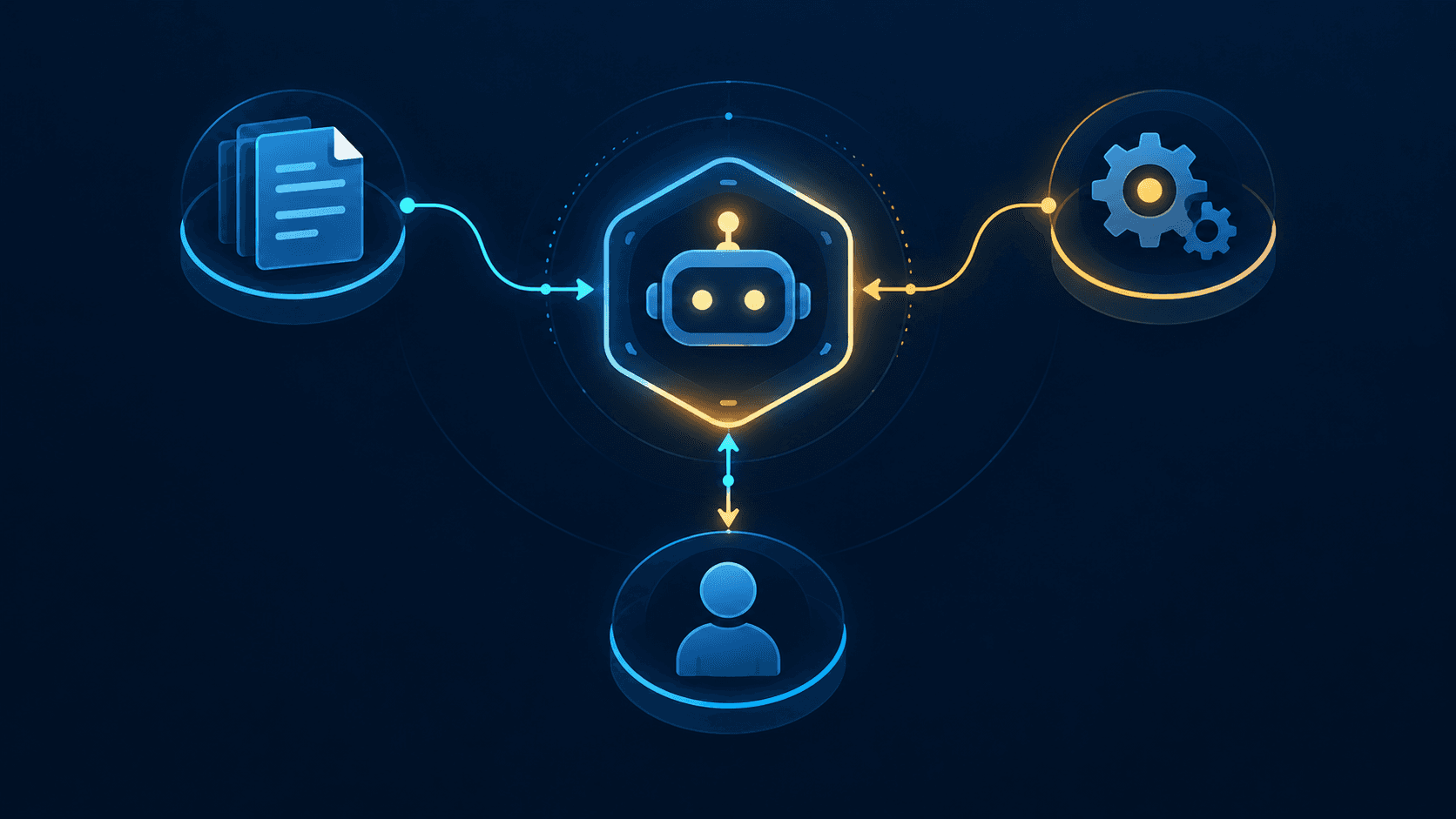
Copilot Studio makes it easy to build an agent that answers from documents. The gap between that and something people rely on is scope, grounded answers, real actions, and knowing what the agent must refuse to do.
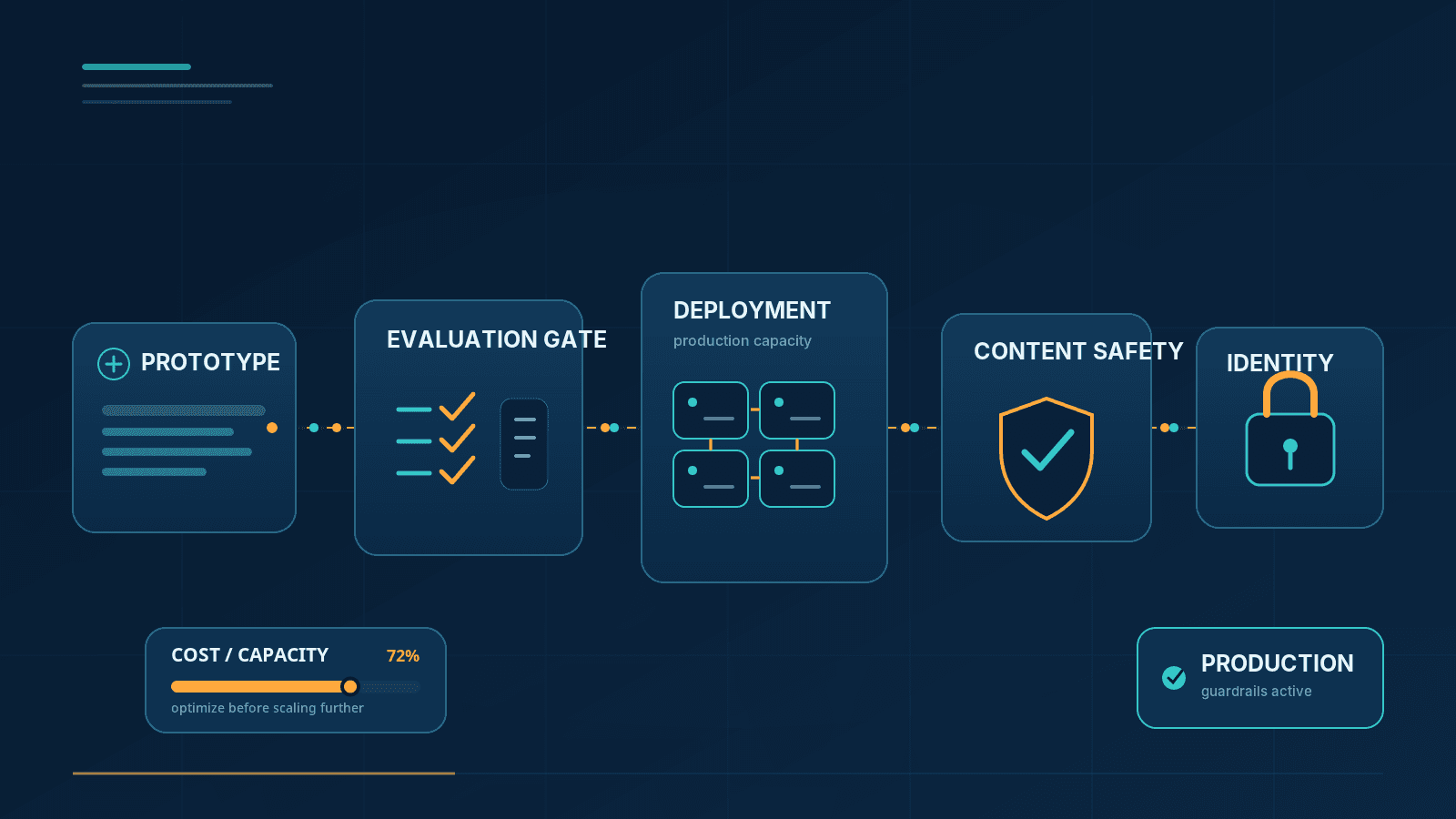
Copilot Studio makes it genuinely easy to stand up something that looks like a working agent in an afternoon — point it at a SharePoint site, write a paragraph of instructions, publish, and watch it answer questions in the test pane. That speed is exactly why so many of these agents quietly stop being used within a few weeks of launch. The demo hides the four decisions that actually determine whether people come back: what the agent is for, what it's allowed to know, what it's allowed to do, and what it should honestly refuse.
None of these four are model problems. They're design decisions that the low-code surface lets you skip, right up until real users start asking real questions and the gaps show.
Decision One: Scope, Before Anything Else Gets Built
The single strongest predictor of whether an agent survives past its pilot is how narrowly it's scoped. An agent built to "answer questions about company policy" will underperform an agent built to "explain leave entitlements and start a leave request," even though the first one sounds more ambitious.
The narrow version wins for reasons that compound:
Its knowledge sources can be curated. A handful of actively owned documents are easier to keep accurate than an entire policy library.
Its instructions can be precise. "You explain leave entitlements and can initiate a leave request" gives a language model a much tighter decision space than "you answer HR questions."
Its failure modes are identifiable. When it gets something wrong, you know which document or which action to check.
Users know what to ask it. A named, specific purpose sets expectations; a vague one invites off-topic questions the agent was never built to answer.
The temptation to widen scope usually comes from stakeholders after launch — HR wants IT questions routed through it too, since it's already there. Every domain you add dilutes the ones that already worked. If a second domain is genuinely needed, it's very often better served by a second agent than by expanding the first one's instructions and knowledge sources until neither works well.
Tip:
Write the agent's purpose as a single sentence before opening Copilot Studio. If that sentence needs "and" to describe two different jobs, you're probably building two agents.
Decision Two: Knowledge Sources — Curated, Not Comprehensive
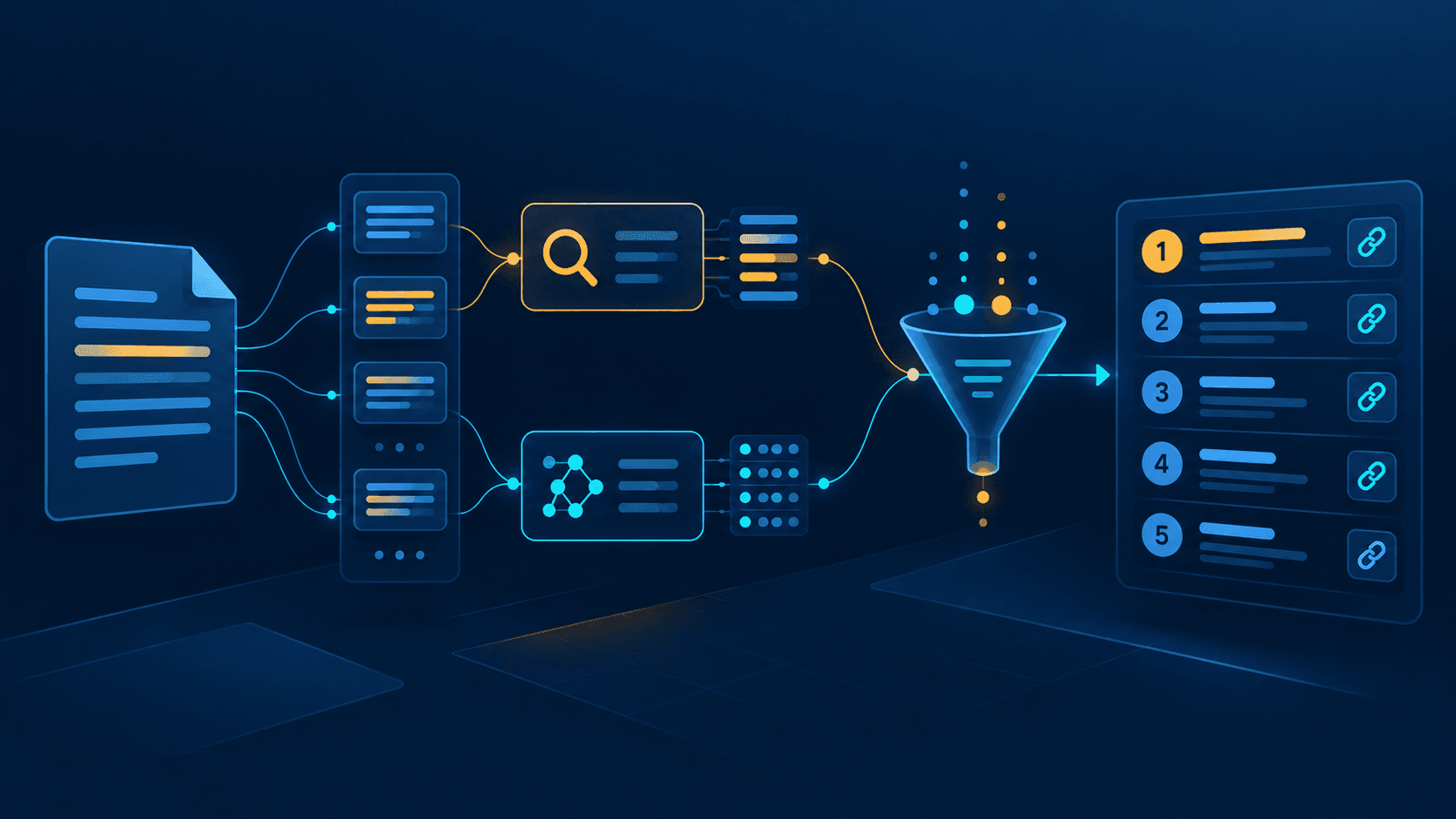
Connecting an entire SharePoint site collection feels like the fast path to a knowledgeable agent. In practice it's usually the fastest path to a confidently wrong one. As a knowledge source grows, retrieval has more near-duplicate and outdated content to choose between, and the agent has no way to know that the policy PDF from two reorganizations ago is stale — it will cite it with the same confidence as the current version.
Microsoft's own guidance for Copilot Studio's generative orchestration mode backs this up directly: knowledge sources should carry descriptive titles and authoring descriptions so the underlying model can tell them apart, and once an agent has more than 25 knowledge sources connected, Copilot Studio automatically filters which ones get consulted for a given query using an internal model — which means an unmanaged pile of sources isn't just a quality risk, it's silently editing itself in ways you don't control.
What works better in practice:
Target specific, actively maintained sites, libraries, or folders — each with a named owner responsible for keeping it current.
Remove superseded documents from the agent's reach entirely, rather than leaving the old version sitting alongside the new one. If a human reader would have to guess which version is current, so will the model.
Use structured actions (a Dataverse table, a flow that calls a system of record) for anything that has a single correct answer — a balance, a status, an entitlement. Document retrieval is for policy and explanation, not for facts that live in a system of record.
Mark genuinely authoritative sources as Official where that fits your orchestration mode, and verify permissions across every connected source before you publish beyond a pilot group — Copilot Studio enforces per-user access on SharePoint, Dataverse, and connector-based knowledge sources through Microsoft Entra ID authentication, so a permission mismatch shows up as the agent either oversharing or frustratingly under-answering, depending on which side the misconfiguration falls on.
Note:
"Allow ungrounded responses" is off by default, which is the right setting for most agents — it forces answers to be backed by a knowledge source or an action rather than the model's own general knowledge. If you find yourself turning it on to stop the agent from refusing reasonable questions, that's usually a sign your knowledge sources or citation instructions need work, not that ungrounded answers are actually fine for your use case.
Decision Three: Topics and Generative Orchestration Aren't Competing Choices
Copilot Studio gives you two different mechanisms for handling a conversation, and the agents that hold up well use both, deliberately, for different jobs.
Topics are authored, deterministic conversation flows — defined triggers, explicit branching, typed input and output variables. You write exactly what happens, in what order, every time.
Generative orchestration is the planner that interprets what a user actually wants, breaks a multi-part request into steps, and decides which topics, actions, and knowledge sources to invoke to answer it — without you having to script every phrasing a person might use.
Topics (authored) | Generative orchestration | |
|---|---|---|
Behavior | Fixed, scripted branching | LLM plans dynamically from intent |
Best for | Irreversible or high-stakes steps | Understanding varied phrasing, multi-intent requests |
Predictability | High — same input, same path | High-level guardrails, not step-by-step scripting |
Maintenance | Grows with every new phrasing you handle | Scales better as vocabulary and requests vary |
Microsoft's own framing for this is a three-layer model worth adopting directly: a deterministic layer for mission-critical, irreversible actions that should never be left to model interpretation (processing a payment, deleting a record); a hybrid layer where the model drafts and a person or a rule checkpoint approves before anything happens; and an AI harness layer, fully generative, for the large share of everyday questions and simple multi-step requests where getting it slightly wrong isn't costly. Most of a well-scoped agent's traffic should live in that third layer — Microsoft's own guidance puts it around 80% of typical interactions — with the first two reserved deliberately for what actually needs them.
The practical pattern: let generative orchestration handle how a request arrives and route it, and let an authored topic take over the moment the conversation reaches something consequential — a transaction, a confirmation, a step that can't be quietly undone. That gives you natural conversation entry with a defined, auditable execution path exactly where you need one.
Decision Four: Actions Are What Separates an Agent From a Search Box
An agent that only answers questions from documents is a better search box. An agent that can actually submit the leave request, open the ticket, or update the record replaces a workflow a person used to do by hand — and that's the difference users notice and come back for.
Actions in Copilot Studio call flows, connectors, or custom APIs, and three principles keep them safe:
Confirm before anything irreversible. Restate the specifics — the amount, the date, the recipient — before the action executes, not after. A confirmation that just says "proceed?" without restating what's about to happen isn't a real safeguard; it's a formality the user will click through without reading.
Authorization belongs in the system being called, not in the agent's instructions. This is the point worth being genuinely strict about: instructions tell the model what you'd like it to do, but they are not an enforcement boundary. A well-crafted instruction saying "only allow managers to approve requests over $5,000" is a strong suggestion to a language model, not a permission check. The flow, connector, or API on the other end needs to independently verify who's asking and what they're allowed to do, exactly as it would for any other caller. Treat every action as a real API boundary — because it is one.
Errors should say what to do next, not just that something failed. "Something went wrong" sends a user straight to escalation even when the fix was simple — a missing field, an expired token. A message that names the actual problem and the next step often resolves the issue without a human ever getting involved.
Escalation Is a Feature, Not an Admission of Failure
Every agent needs a visible, easy path to a human — offered proactively, not only after the agent has failed a few times in a row and the user is already frustrated. Copilot Studio supports this through a Transfer conversation node that you can place in any topic, plus an automatic Escalate system topic that fires when a user explicitly asks for a person or when nothing else matches their intent. Where the agent is connected to Omnichannel for Customer Service or another engagement hub, that handoff carries real context across — conversation history, the topics that were triggered, the phrases the user typed — so a human agent isn't starting the conversation from nothing. Without an engagement hub connected, the generic Escalate path can still offer a support URL or contact information, which is a meaningfully better outcome than a dead end.
Just as important is designing explicit refusal paths — situations where the agent should decline to answer at all rather than attempt a plausible-sounding response. Individual circumstances that need human judgment, anything legal or medical, decisions where being wrong is expensive: these deserve a designed "I can't help with this one, here's who can" response, not a best-effort guess dressed up in confident language. That kind of honesty about limits is what earns trust for everything the agent does get right.
Testing That Means Something
The test pane and a handful of happy-path questions will tell you the agent works when asked exactly what you expected it to be asked. That's not the test that matters. Effective validation pulls from real material — actual questions from a service desk queue, a shared inbox, or search logs — and specifically includes:
Questions the agent should answer well, drawn from real usage rather than invented for the demo
Questions it should decline, so you can confirm the refusal paths actually fire
Ambiguous, poorly phrased, multilingual, or oddly worded queries — the way people actually type, not the way a spec describes them
Questions whose correct answer changed recently, which is the fastest way to catch a stale knowledge source before a user does
Deliberate attempts to get the agent to ignore its instructions or take an action it shouldn't
That last category is legitimate security testing, not paranoia. Any agent that can take actions becomes a target for exactly this kind of persuasion, which circles back to the point above: authorization enforcement needs to live in the action's own system, because an instruction is something a sufficiently creative prompt can talk around.
Once an agent is live, Copilot Studio's analytics give you the signal to keep improving it rather than guessing: resolution rate (sessions that ended successfully), escalation rate (sessions that needed a human), and — often the most useful of the three — the list of unrecognized utterances and low-resolution topics, which tells you exactly where real users are hitting the edges of what you built. A monthly pass through that list, alongside a read of a sample of transcripts, catches drift that no amount of pre-launch testing will.
Common Mistakes Worth Naming
Scope creep from stakeholder requests. Adding "just one more thing" to an agent's job description degrades every domain it already handled well. Decline, or spin up a second agent.
Connecting knowledge sources without limits. More sources without curation means worse retrieval and more confidently wrong answers, not more capability.
Trusting instructions to do security's job. Instructions are guidance for the model; authorization checks belong in the systems the agent calls.
No named owner for the content. Knowledge sources without an accountable owner degrade silently — nobody notices until a user gets a stale answer.
Skipping the pilot. Publishing broadly before a small group has given honest, critical feedback means you find your scope and knowledge gaps in production instead of before it.
Ignoring the transcripts once it's live. The analytics and unresolved-question data exist specifically to show you where real usage diverges from what you assumed when you designed it.
Frequently Asked Questions
How is this different from Microsoft 365 Copilot?
Microsoft 365 Copilot works across a person's own Microsoft 365 content and apps — it's a personal productivity assistant scoped to what that individual can already see. Copilot Studio is for building a custom agent with its own defined knowledge, actions, and audience, published and governed independently of any one person's Microsoft 365 access. They solve different problems: personal assistance versus a domain-specific agent your organization deploys and maintains.
Does the agent respect SharePoint permissions?
Yes, when the agent uses Microsoft Entra ID authentication — it queries SharePoint on behalf of the signed-in user, so only content that user can already access is returned. That protection depends on how authentication is configured for the agent, so it's worth explicitly verifying rather than assuming, particularly for agents that support anonymous or service-account access.
Can it call an internal API?
Yes, through a custom connector or a Power Automate flow. Build and secure that connection exactly as you would any other API integration — with real authentication, authorization checks, and logging on the receiving end, not just an agent instruction describing who's allowed to call it.
How do I stop it from answering off-topic questions?
Instructions alone won't reliably enforce this. Combine a narrow, well-curated knowledge scope with explicit decline instructions, and back both with an authored topic that redirects common out-of-scope requests to the right place — a link, a different agent, or a person.
What should I actually measure after launch?
Resolution rate and escalation rate tell you the headline story, but the unresolved and unrecognized questions are the most useful data you'll get — they show you precisely where to invest the next round of knowledge curation or topic authoring, rather than guessing.
The Honest Summary
The agents that stay useful past their first month share the same traits: a narrow, clearly stated purpose; knowledge sources that are curated and actively owned rather than comprehensively connected; actions whose safety is enforced by the systems they call, not by instructions; and a visible, well-designed path to a human when the agent genuinely shouldn't handle something alone. None of that is a model-capability problem. It's the scope and governance work a demo lets you skip — and that a real deployment can't.
Sources consulted:
Apply generative orchestration capabilities — Microsoft Copilot Studio, Microsoft Learn
Knowledge sources summary — Microsoft Copilot Studio, Microsoft Learn
Add SharePoint as a knowledge source — Microsoft Copilot Studio, Microsoft Learn
Hand off to a live agent — Microsoft Copilot Studio, Microsoft Learn
Agent transcript analysis — Microsoft Copilot Studio, Microsoft Learn